Add New Role
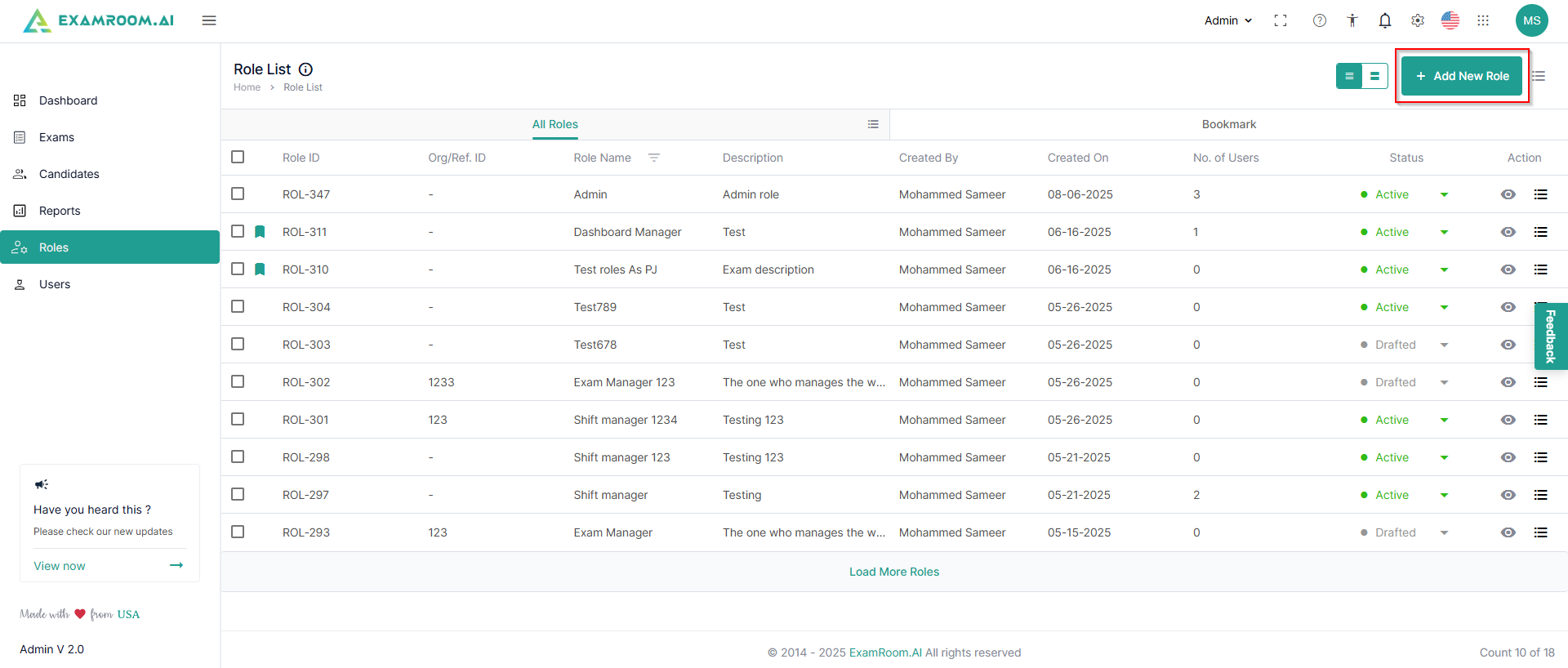
- Click + Add New Role to add a new role.
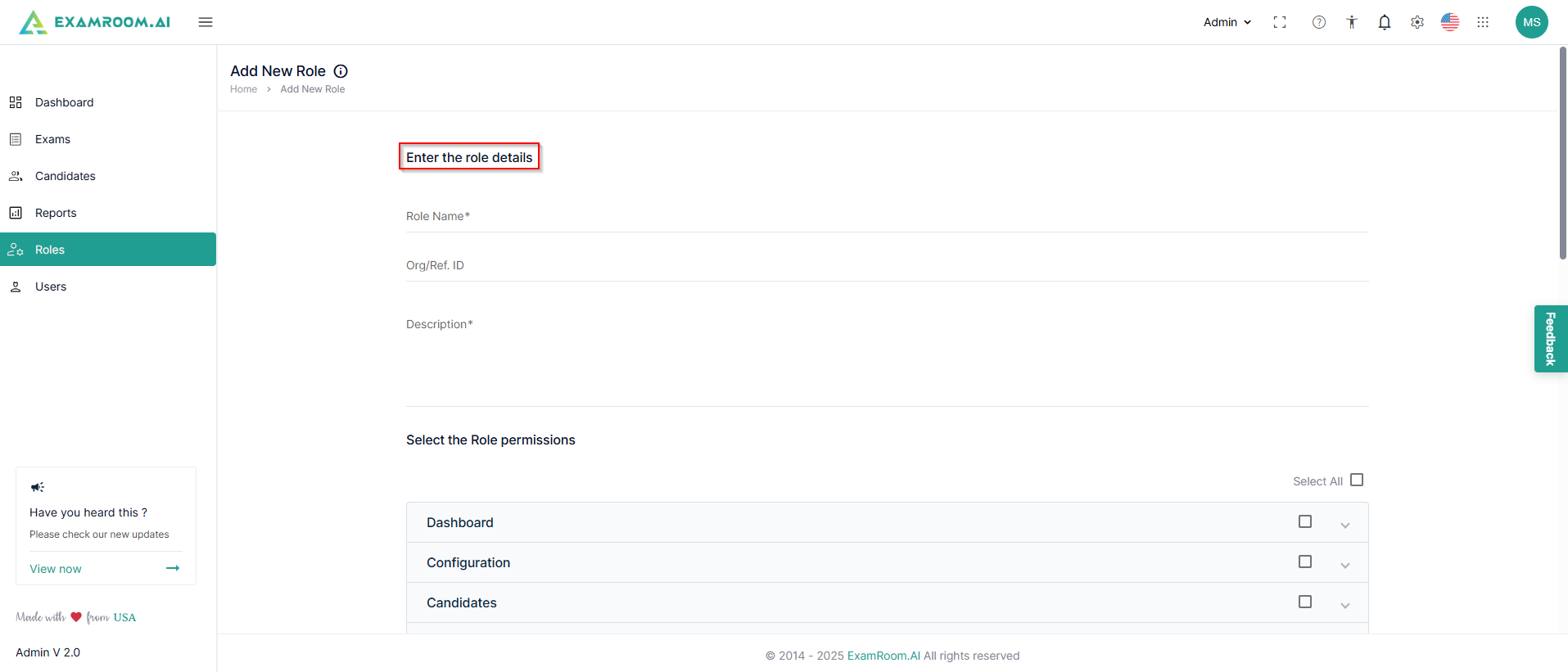
- Enter the Role Details
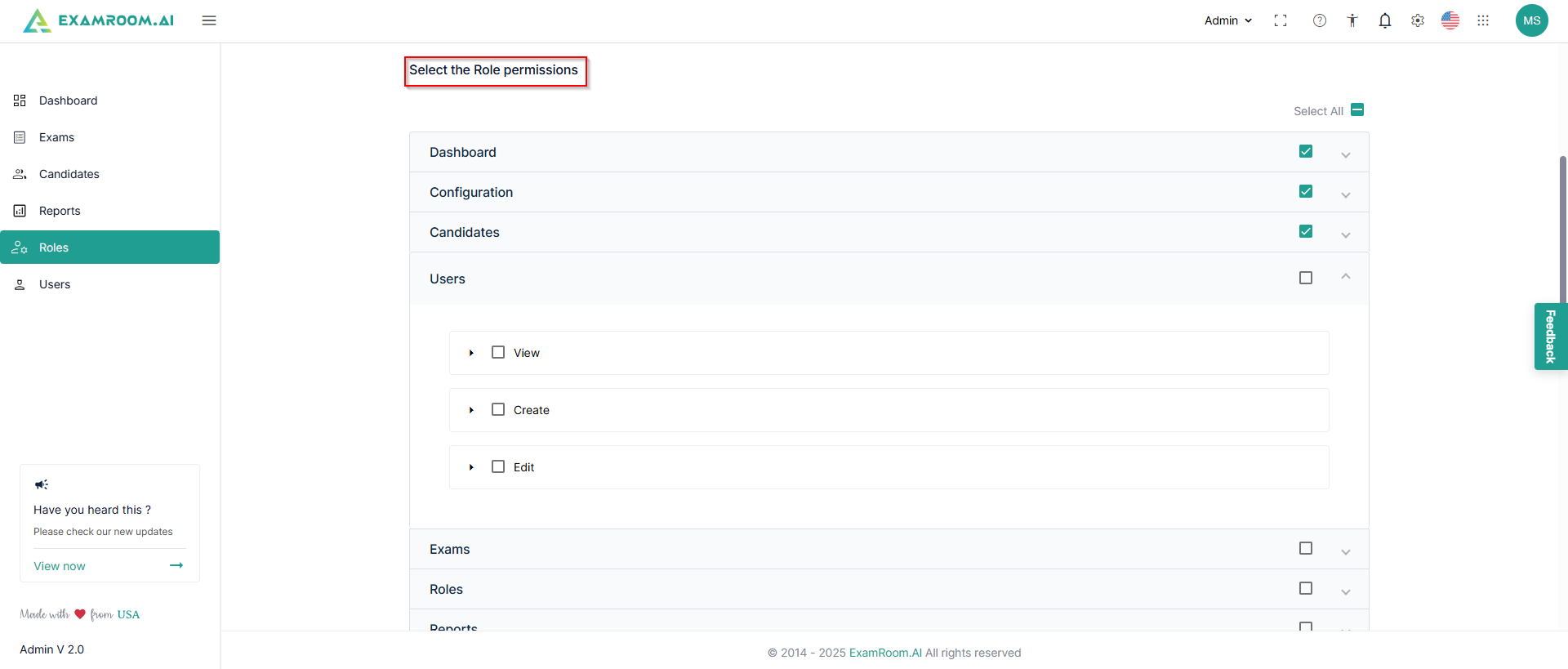
- Select Role Permissions with the required permissions on the actions.
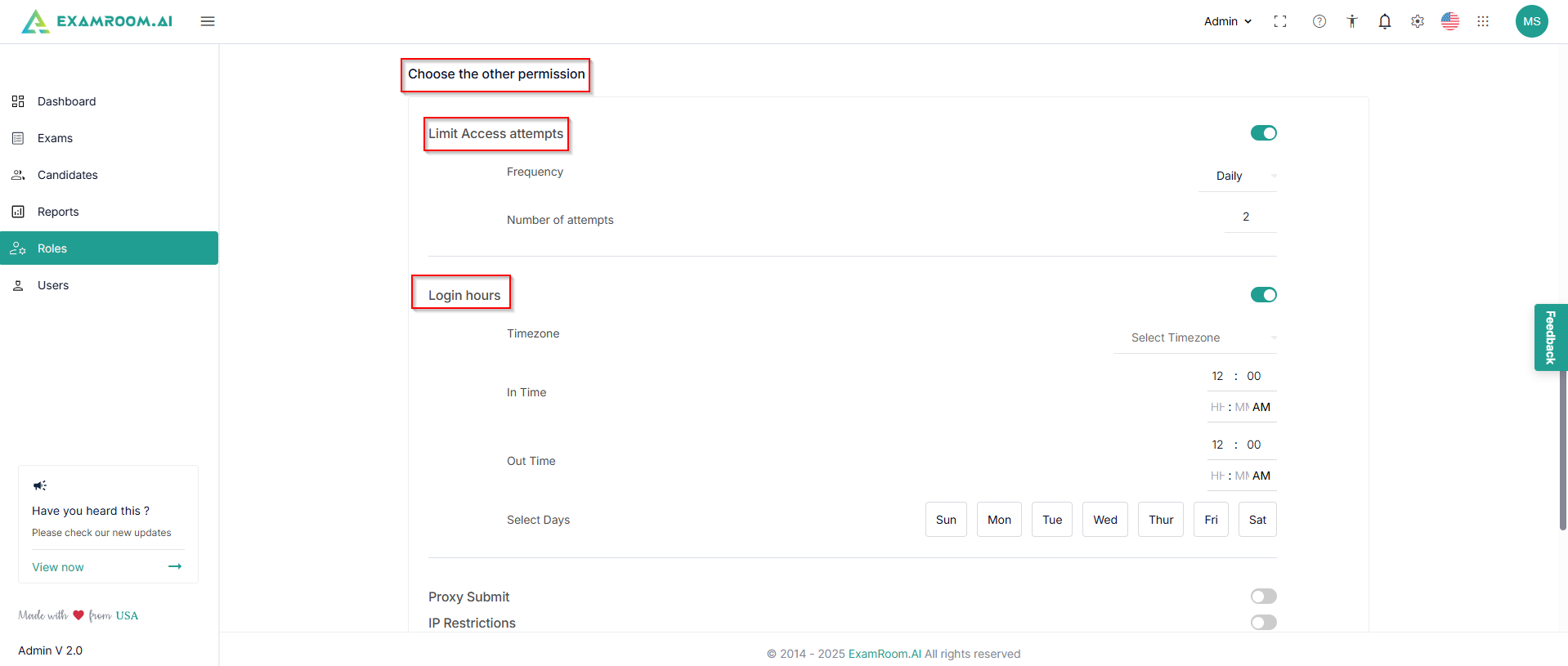
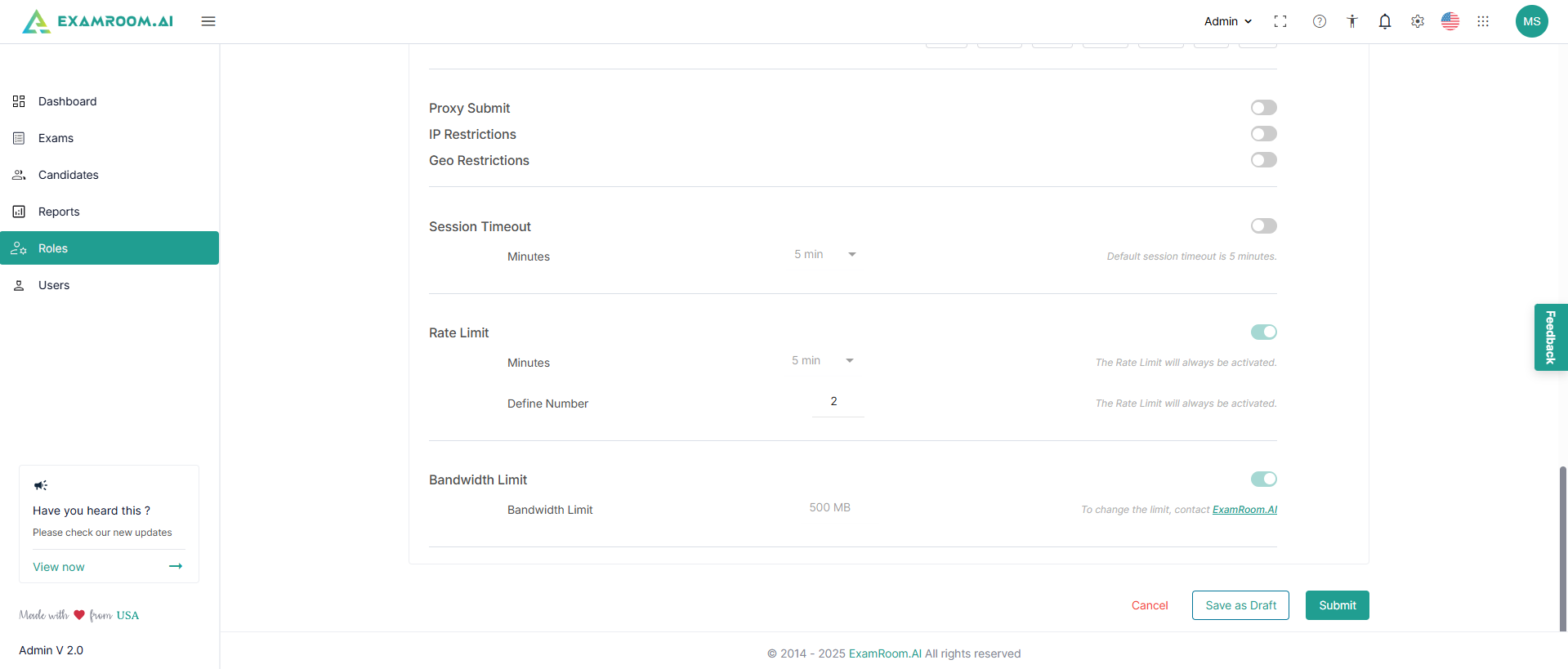
- Choose other permissions like access attempts, login hours, Proxy Submit, IP Restrictions, Geo Restrictions, Session Timeout, Rate Limit, and Bandwidth Limit.
- Click Submit to submit the created role. Click Save as Draft to save it for later. Click Cancel to exit from adding a new role.
- A toaster message for successful addition of the new role appears in the top right corner, and the newly added role gets added to the role list.