Bulk Import
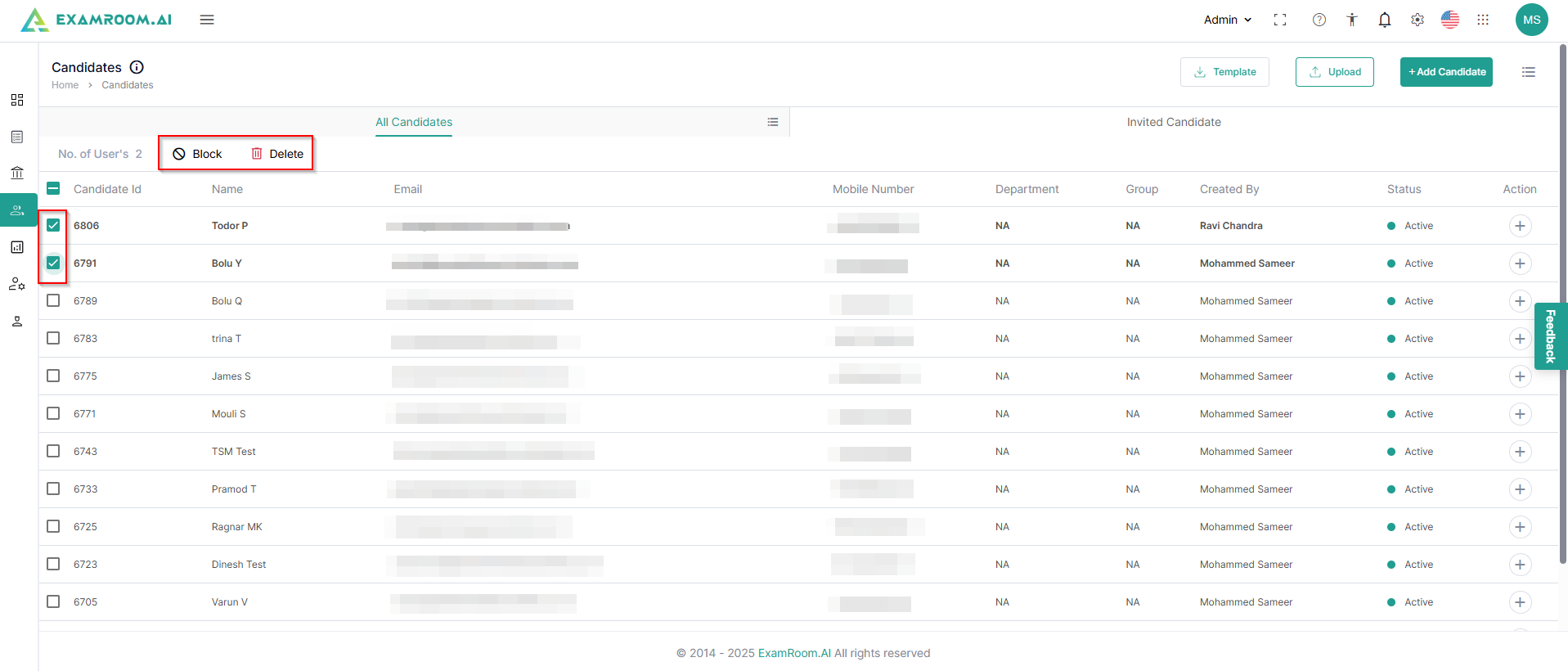
- Click Template to download a spreadsheet and fill in the first name, last name, email address, and phone number of the candidates.
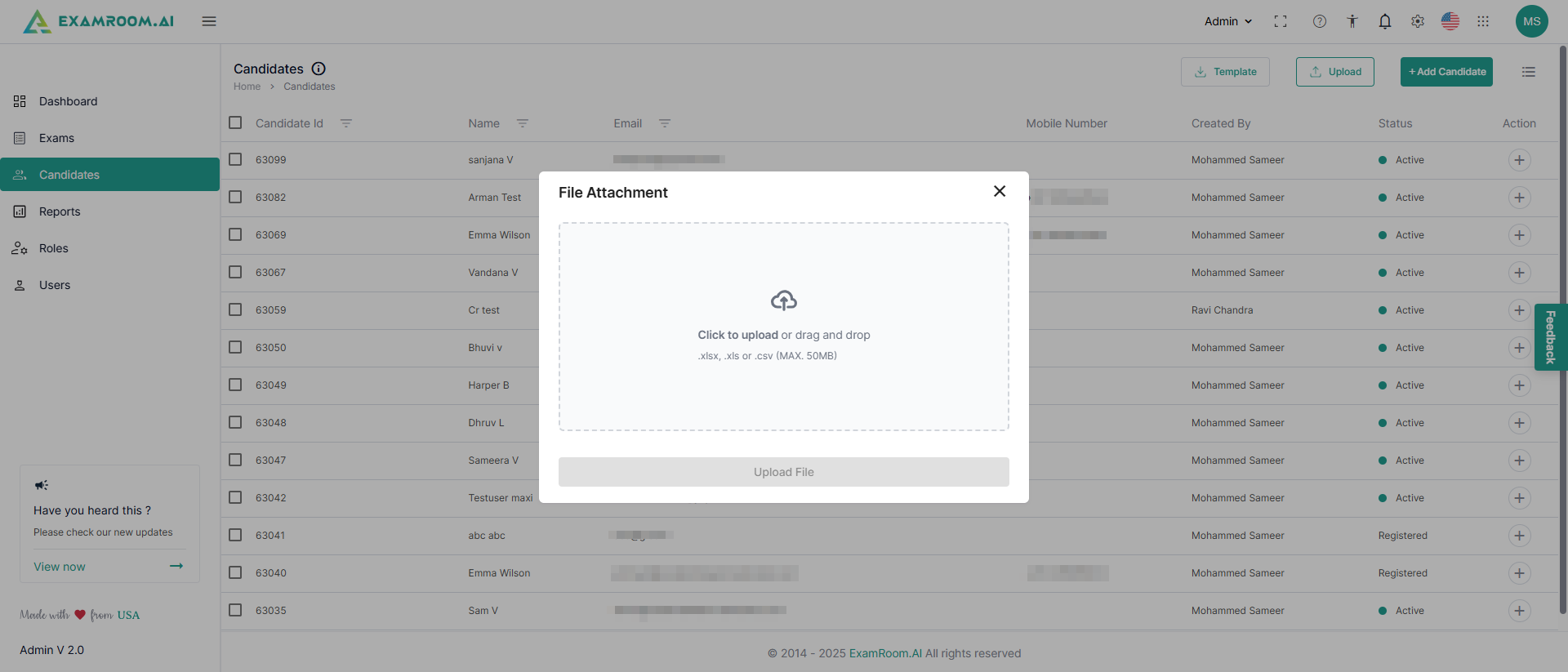
- Click Upload to upload the spreadsheet to import all the candidate details in bulk.
- Click inside the dialogue box to attach the spreadsheet with candidate details.
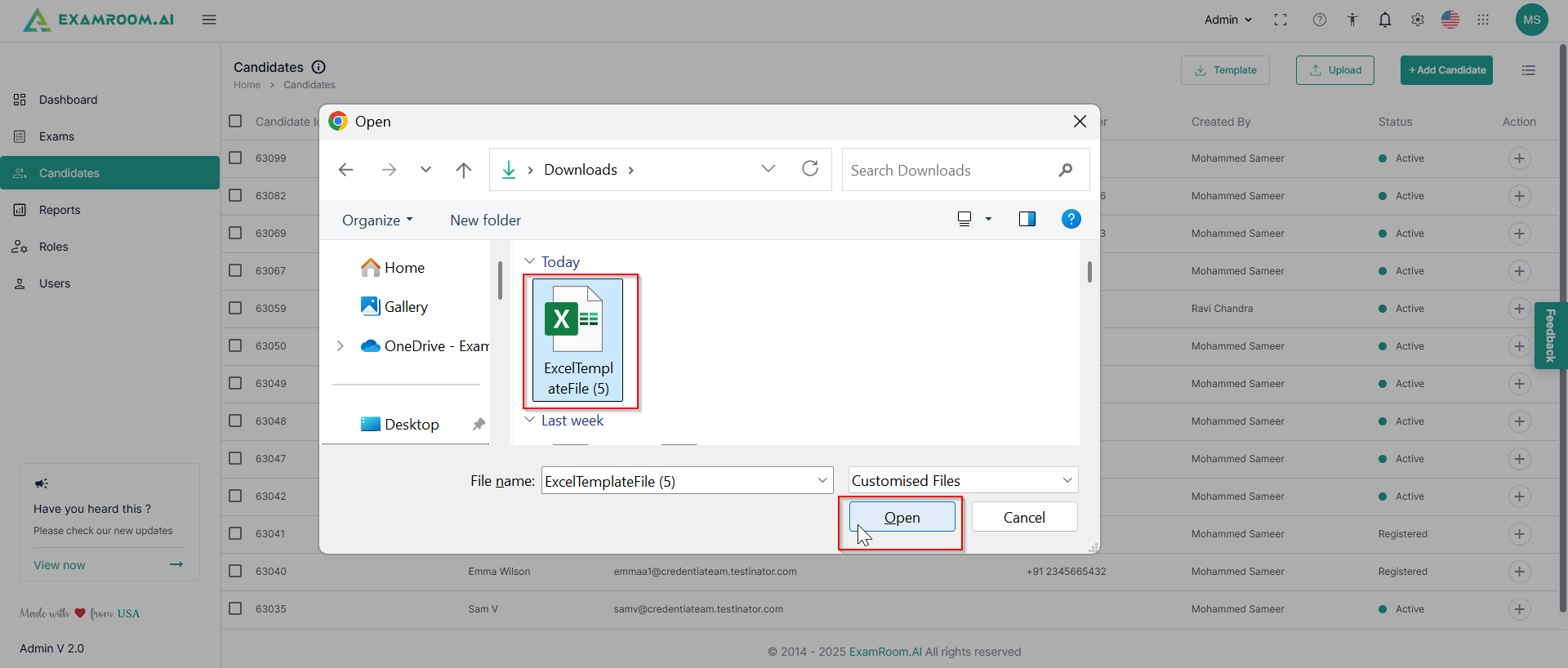
- Browse and select the file from your device and click Open.
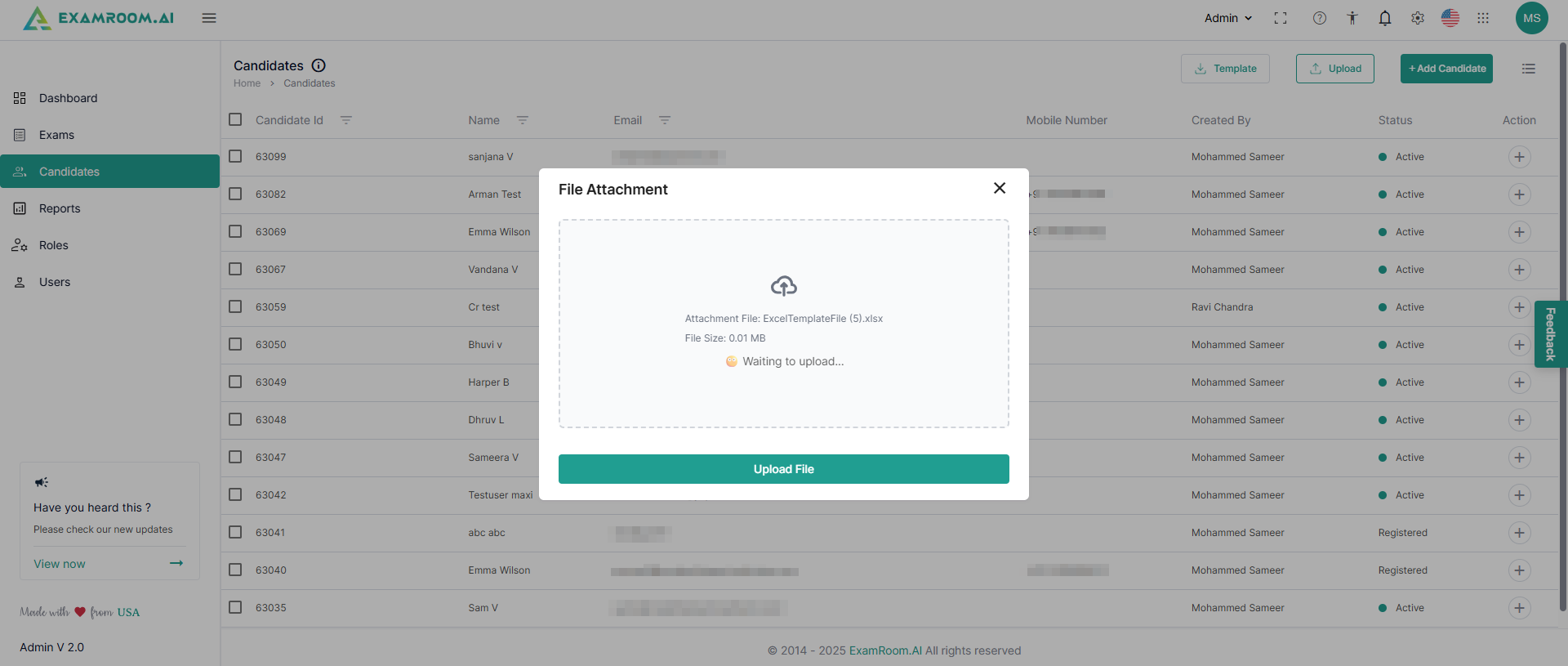
- Click Upload File to bulk import the candidate details into the console.
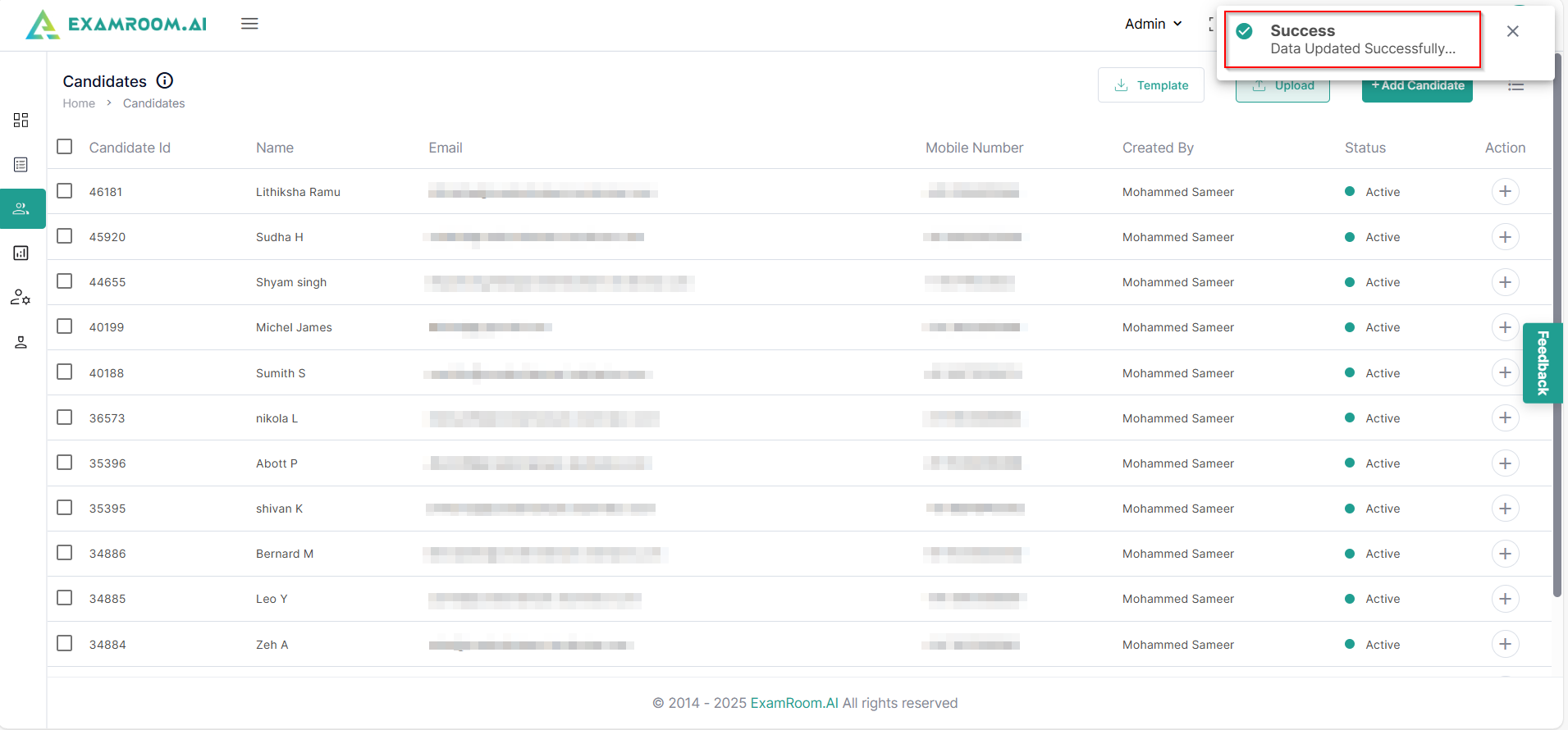
- A toaster message appears after the list of candidates gets uploaded to the system.
- You can also delete or block one or multiple candidates by selecting the checkbox against their name. Similarly, candidates can also be unblocked.