Invite User - Group
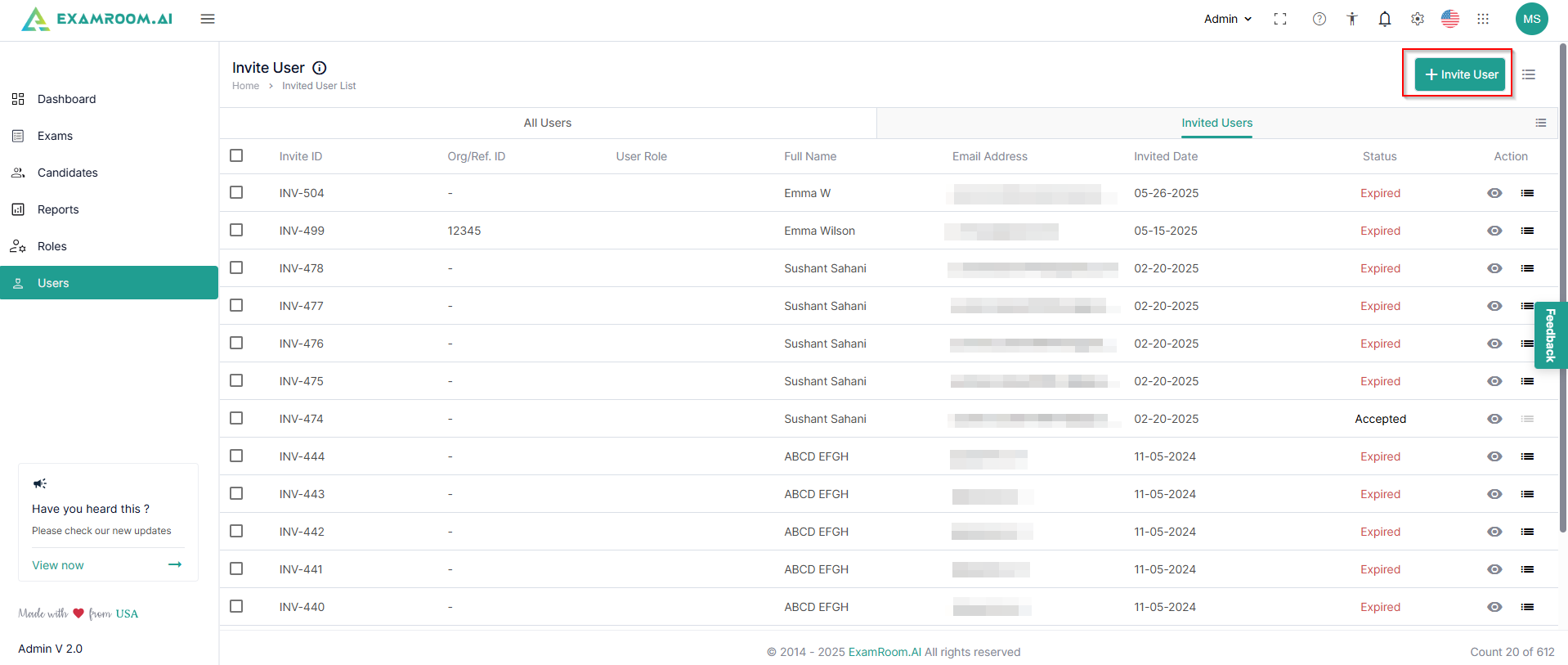
- Switch to the Invited Users list tab and click + Invite User to invite the new users.
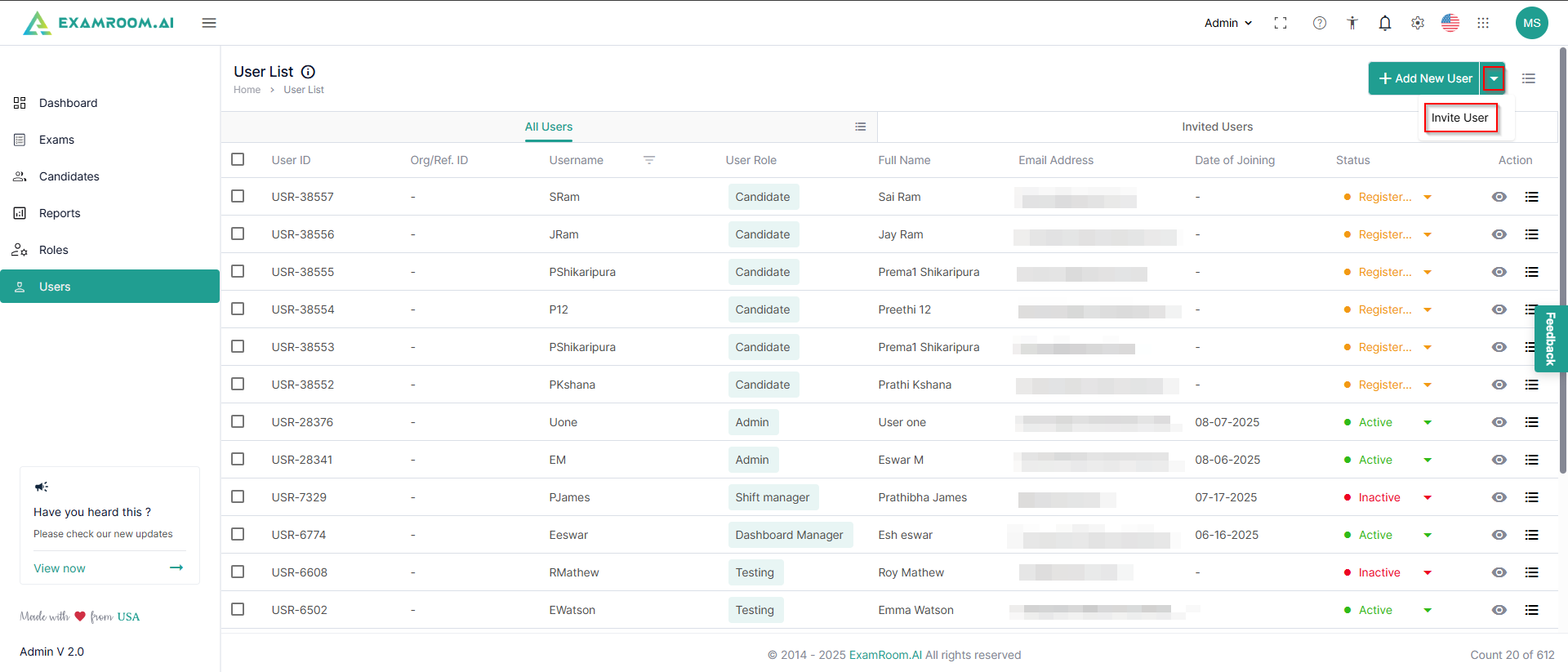
- Otherwise, if you are on the All Users tab, click the dropdown just next to the Add New User button and click Invite.
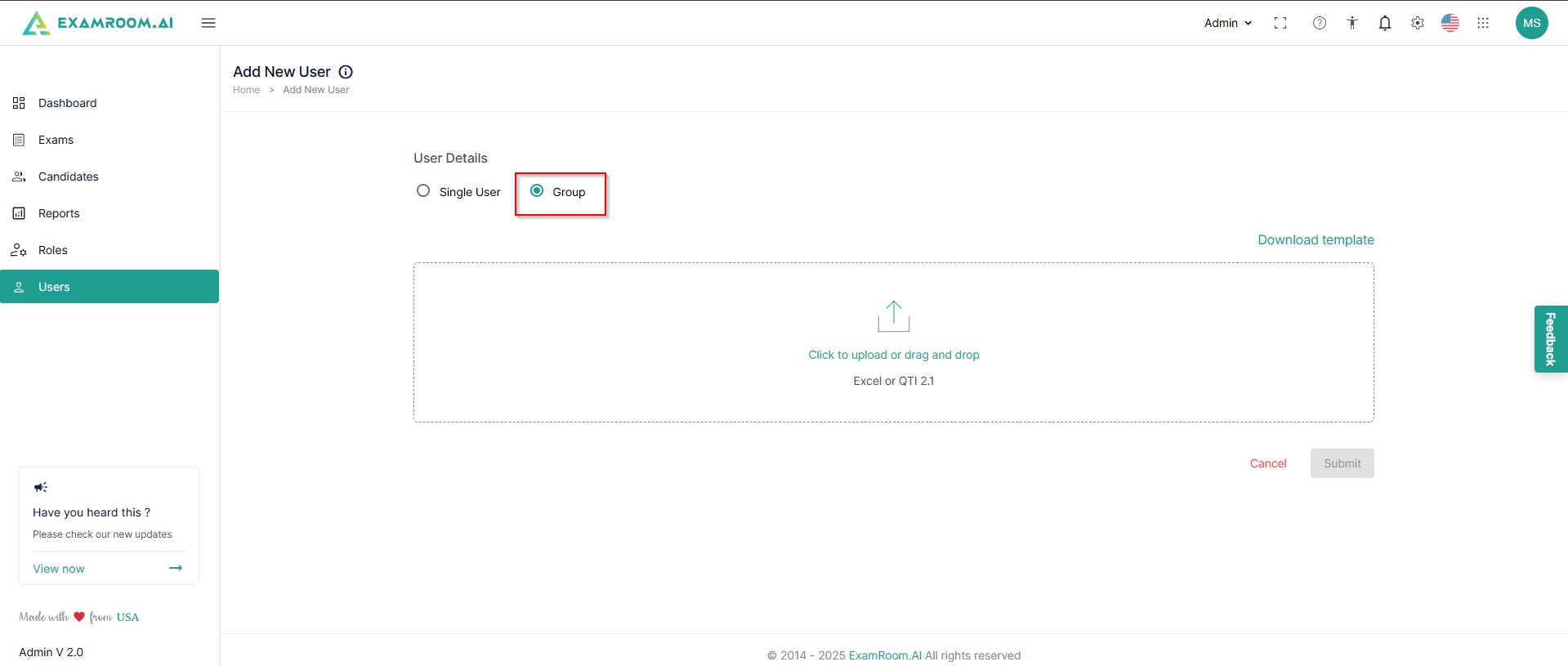
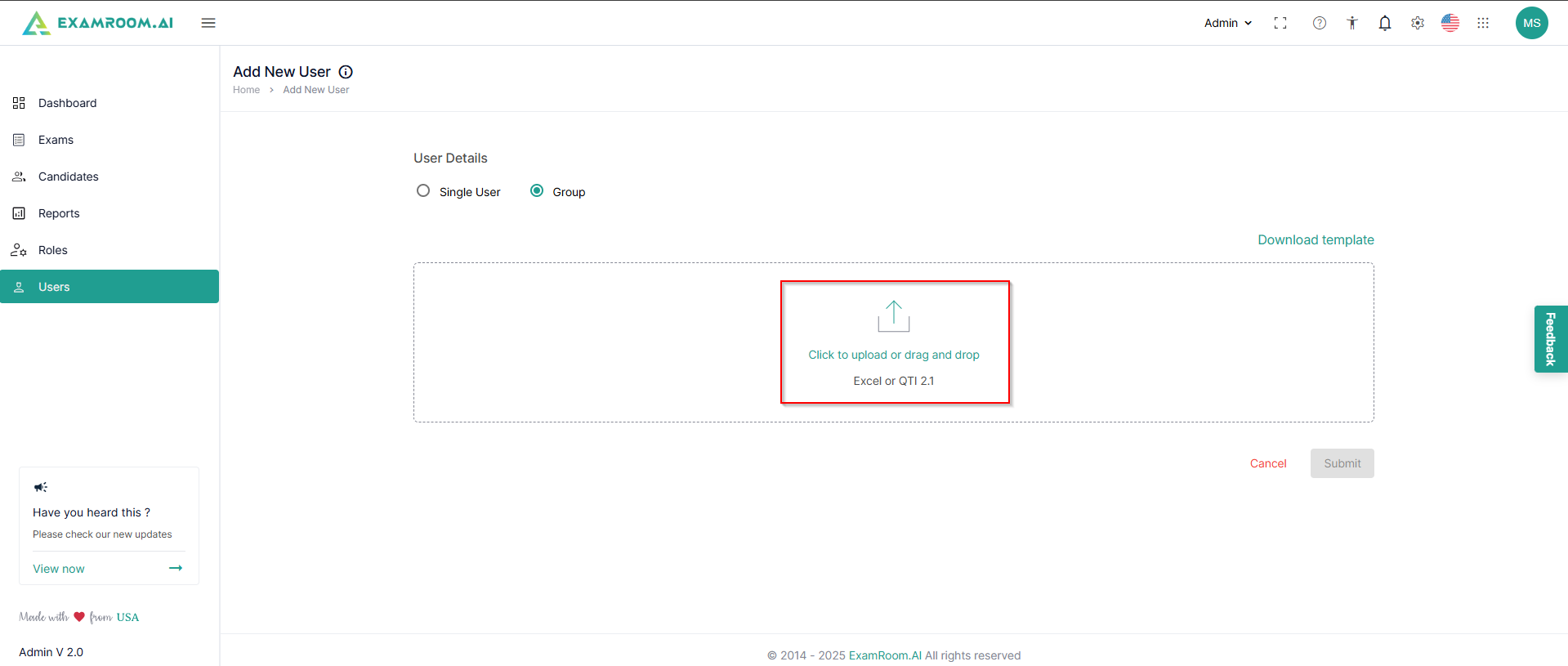
- Select the Group option to invite a group.
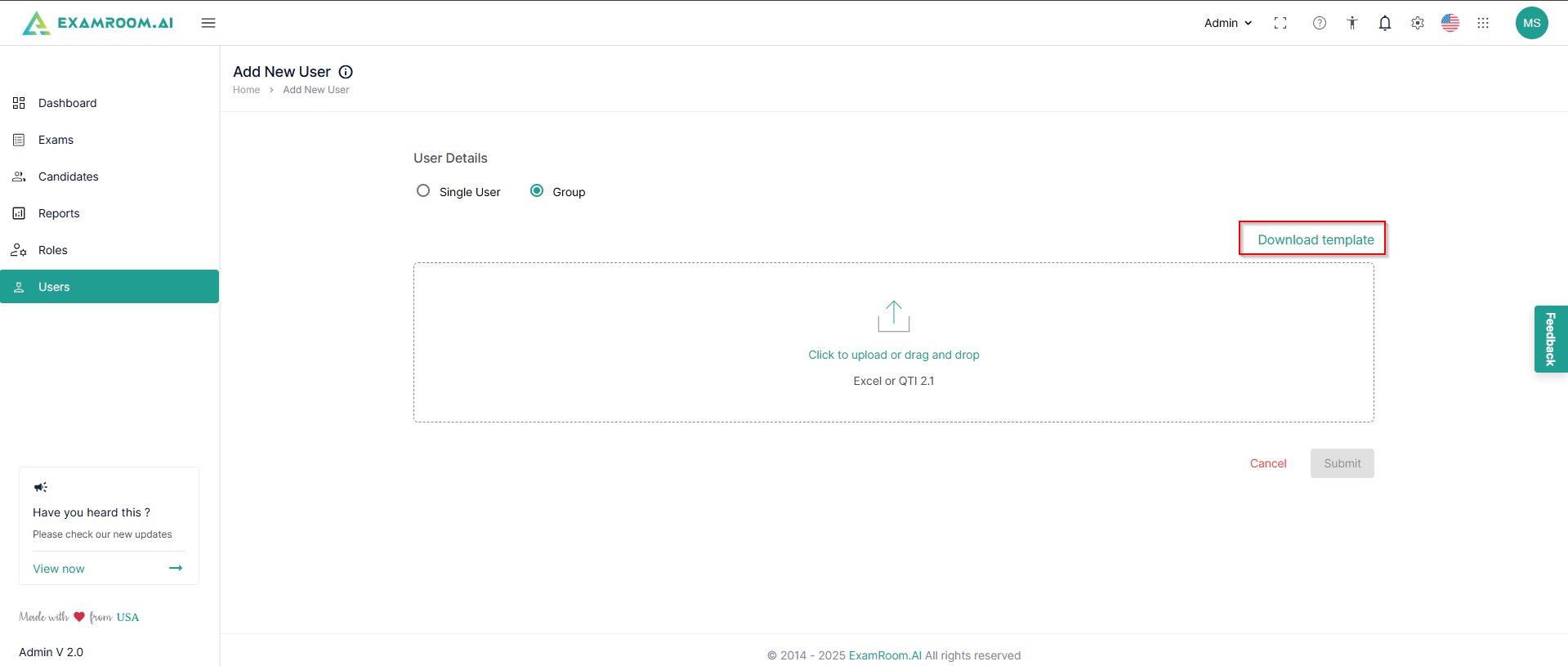
- Click Download Template to download the spreadsheet template and fill in the email ID, Org/Ref ID, first name, last name, assigned role, start date, and expiry date for the users.
- Click inside the dialogue box to attach the spreadsheet with user details.
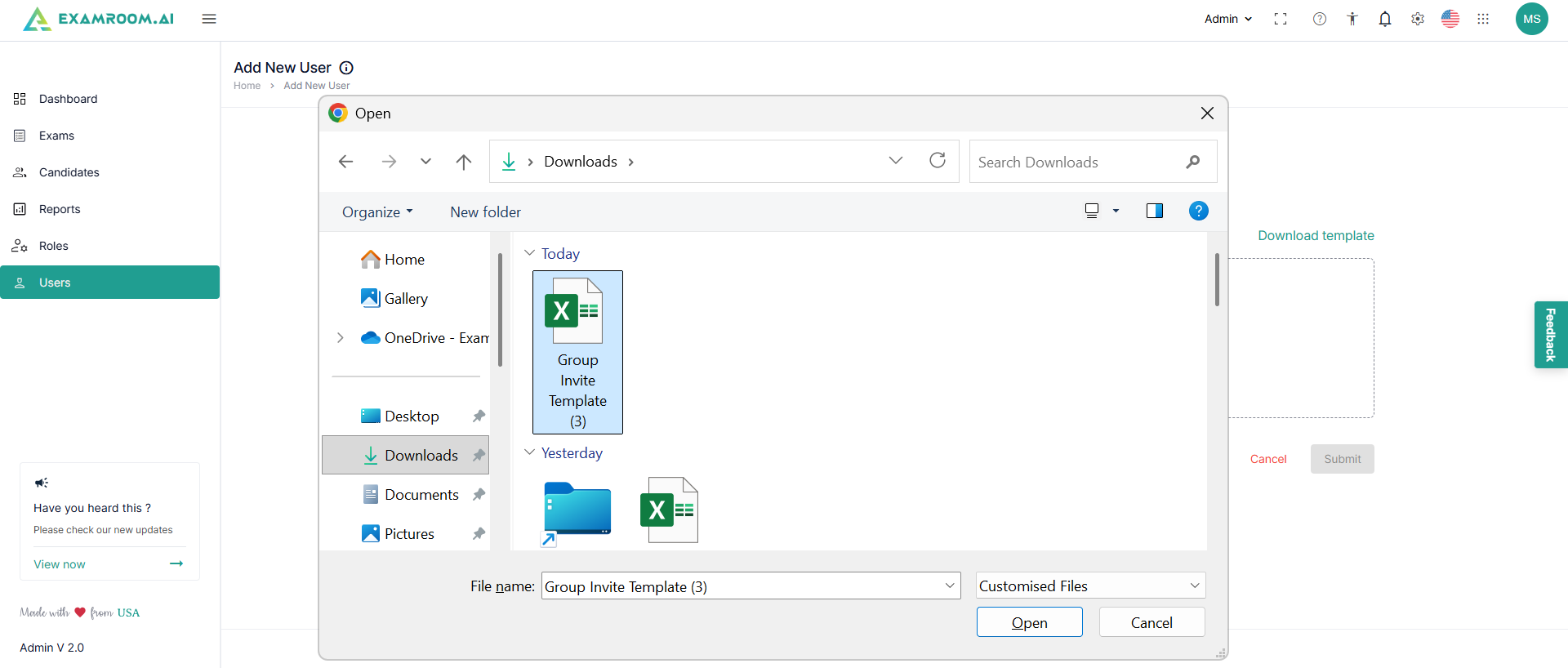
- Browse and select the file from your device and click Open.
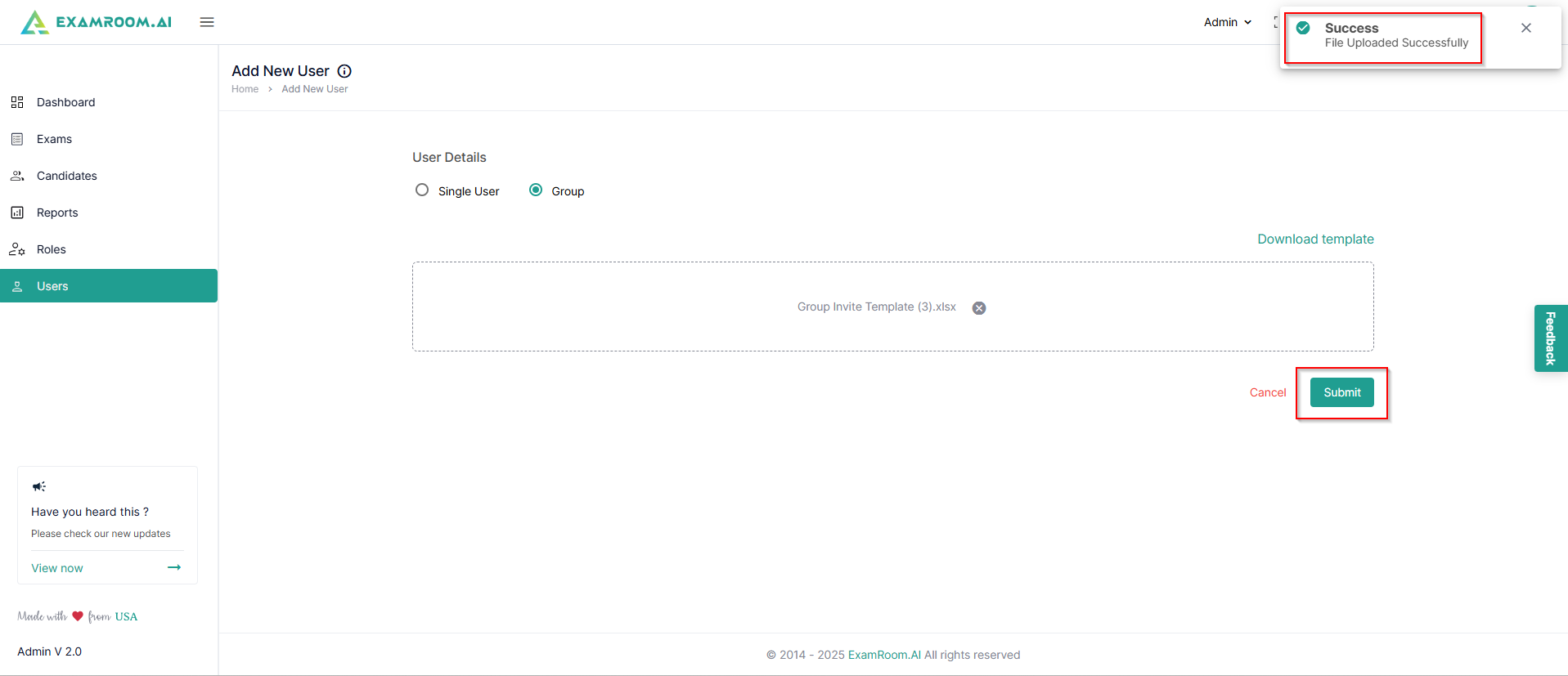
- A success toaster message shows up after the spreadsheet has been uploaded successfully. Click Submit to import the user details to the console.
- After this, the users get added to the invited user list. They must set up their password and activate their accounts before the activation link sent to their email expires.